# Party

**パーティとは何ですか？**

パーティシステムを通じて複数のユーザーがグループに参加し、パーティメンバー同士で会話ができ、ユーザーの位置をリアルタイムで確認できます！

{% hint style="info" %}
TIP: パーティは最小2人から最大5人まで可能です。
{% endhint %}

1. **パーティメンバーを招待したいです。**

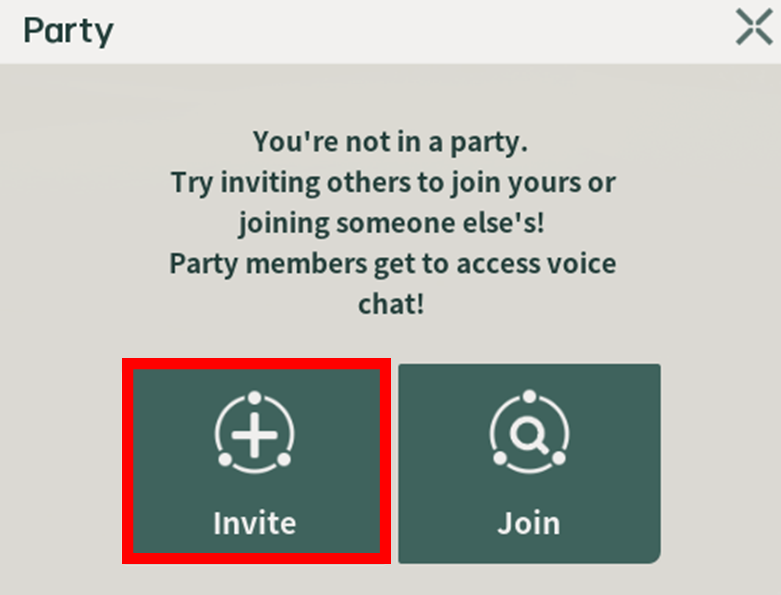
1-1. キーボードの\[P]ボタンをクリックし、\[パーティメンバー招待]ボタンをクリックしてください。

<figure><img src="https://content.gitbook.com/content/Oh8NTV27E5mzxfAtD539/blobs/PhHrvZfc13PHW3VktIfA/1.png" alt=""><figcaption></figcaption></figure>

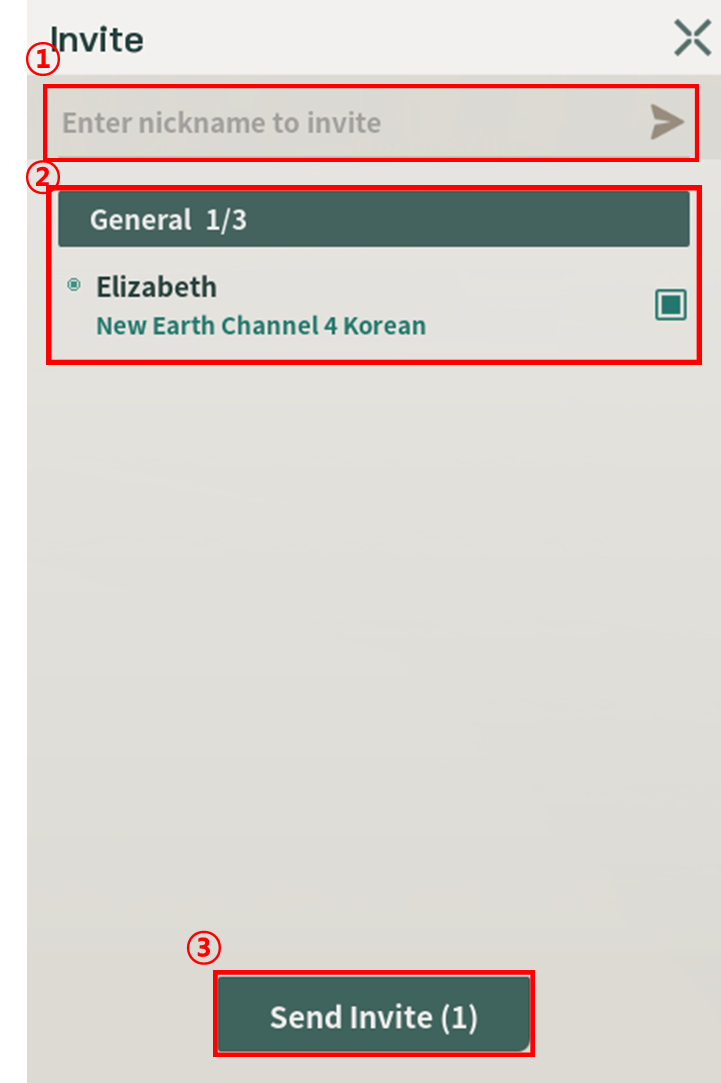
1-2. 友達リストから招待するか、招待したいユーザーのニックネームを入力してパーティメンバーを招待してみてください！

* オプション１: 招待したいユーザーのニックネームを使ってパーティメンバーを招待できます。
* オプション２: 友達リストからパーティメンバーを招待できます。

<figure><img src="https://content.gitbook.com/content/Oh8NTV27E5mzxfAtD539/blobs/ANXUY9VX13hofyJU2BRE/2.png" alt=""><figcaption></figcaption></figure>

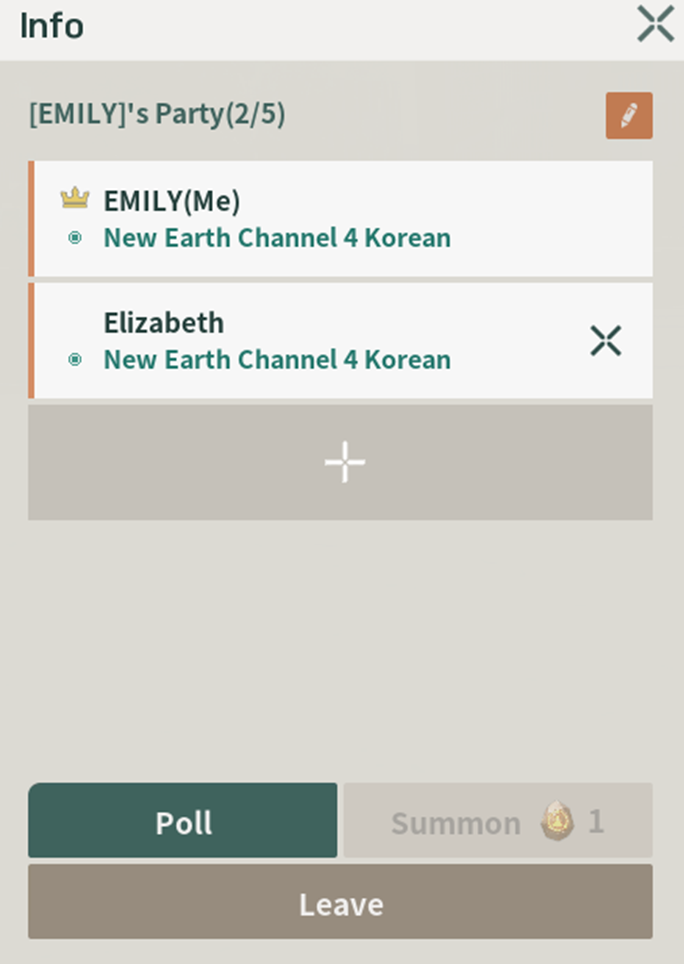
1-3. パーティが生成されました！

<figure><img src="https://content.gitbook.com/content/Oh8NTV27E5mzxfAtD539/blobs/dlniKuVpJ0jczWeE6YRG/3.png" alt=""><figcaption></figcaption></figure>

2. **パーティに参加したいです。**

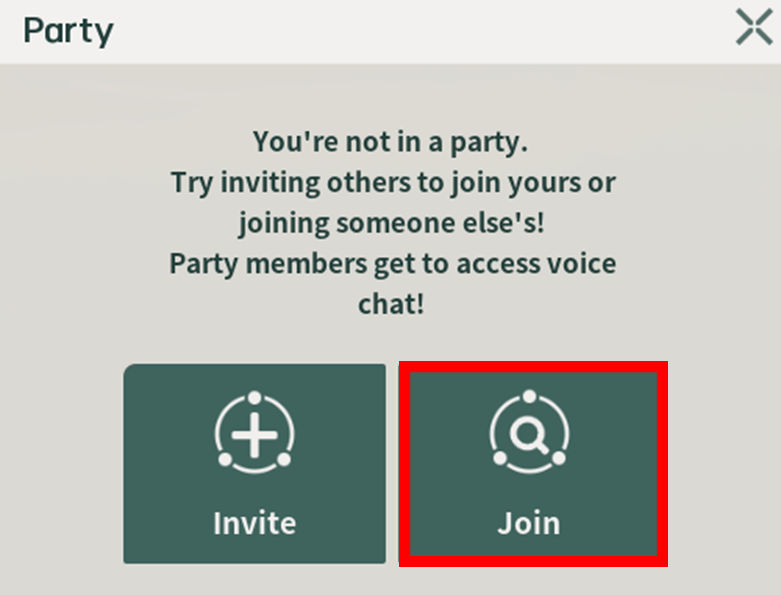
2-1. キーボードの\[P]をクリックし、\[パーティ参加]ボタンをクリックしてください。

<figure><img src="https://content.gitbook.com/content/Oh8NTV27E5mzxfAtD539/blobs/Zp0SAchdwN5baH1wg7J3/4.png" alt=""><figcaption></figcaption></figure>

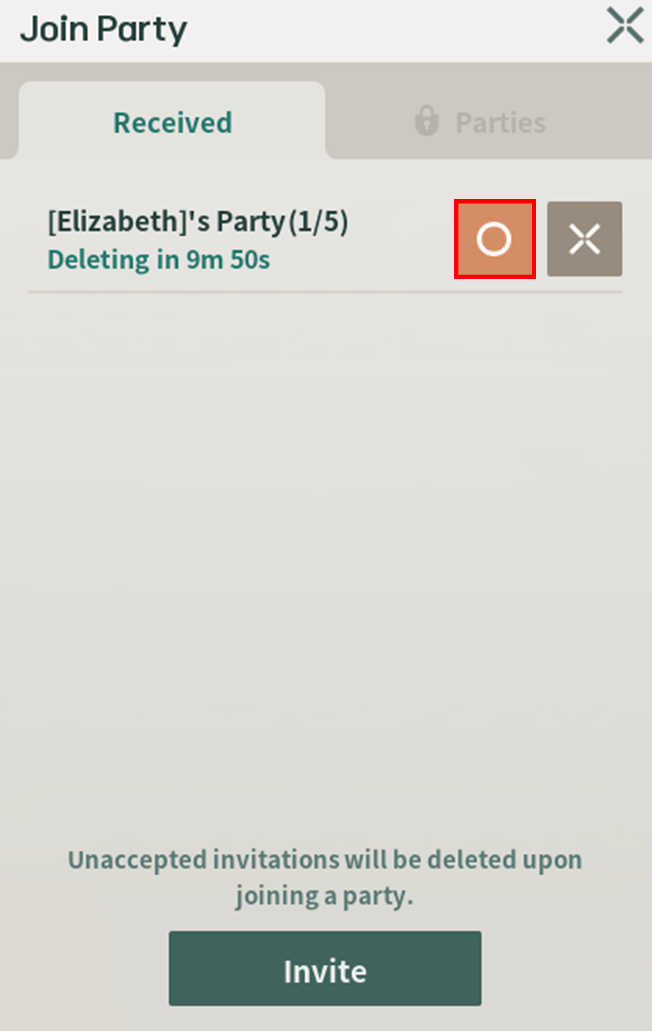
2-2. After checking the invitation you received, click the “O” button.

<figure><img src="https://content.gitbook.com/content/Oh8NTV27E5mzxfAtD539/blobs/wPXDJgz0Seopa9plDNdy/5.png" alt=""><figcaption></figcaption></figure>

3. **I want to chat with party members.**

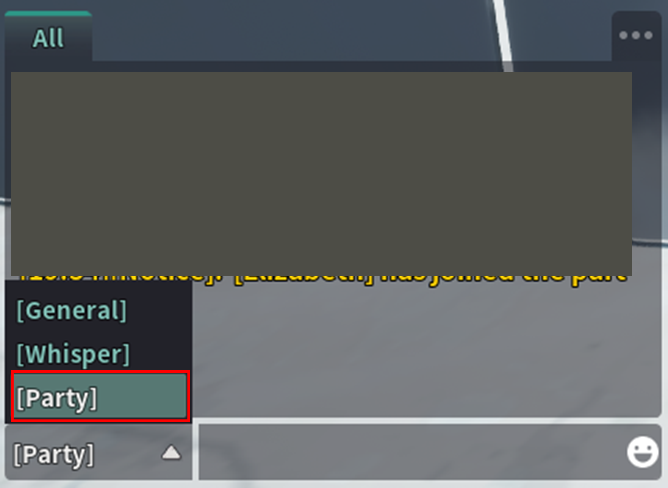
3-1. Press the Enter key, then select "Party" from the chat options.

<figure><img src="https://content.gitbook.com/content/Oh8NTV27E5mzxfAtD539/blobs/7NN9y755BrQeOz1Pj8yl/6.png" alt=""><figcaption></figcaption></figure>

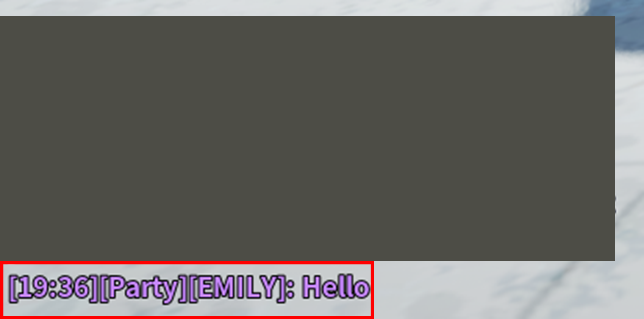
3-2. Chats with party members will be displayed in purple.

<figure><img src="https://content.gitbook.com/content/Oh8NTV27E5mzxfAtD539/blobs/6KRaaixuxVC1CBo4uUjl/7.png" alt=""><figcaption></figcaption></figure>

4. **I want to conduct a vote among party members.**

TIP: You can create a vote once every 2 minutes.

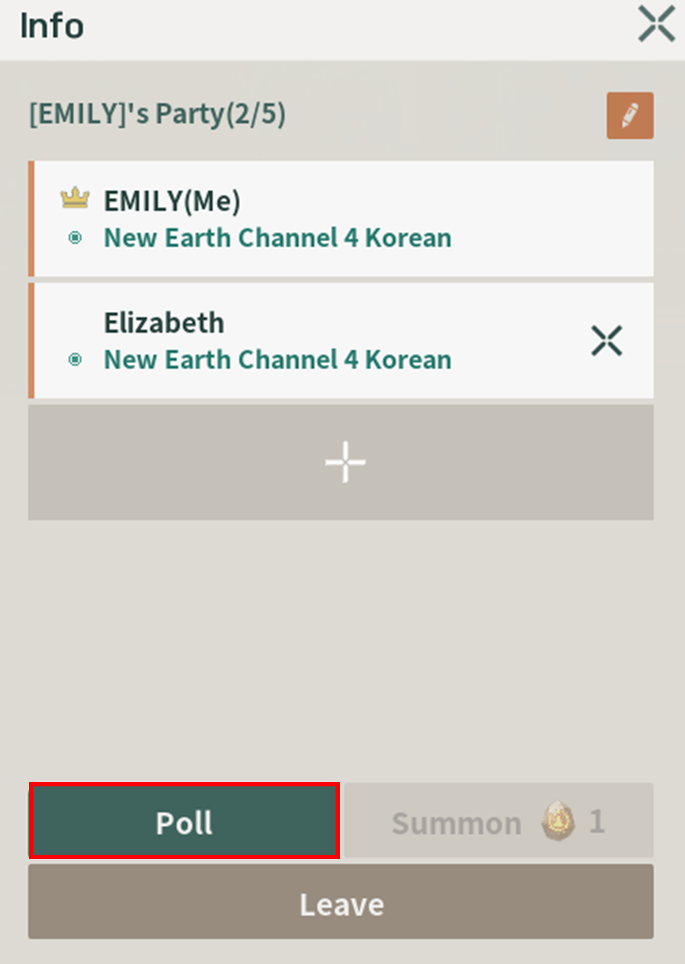
4-1. Click the \[Poll] button in the party information section.

<figure><img src="https://content.gitbook.com/content/Oh8NTV27E5mzxfAtD539/blobs/eCy9nNIUU8LDQSi7dXnb/8.png" alt=""><figcaption></figcaption></figure>

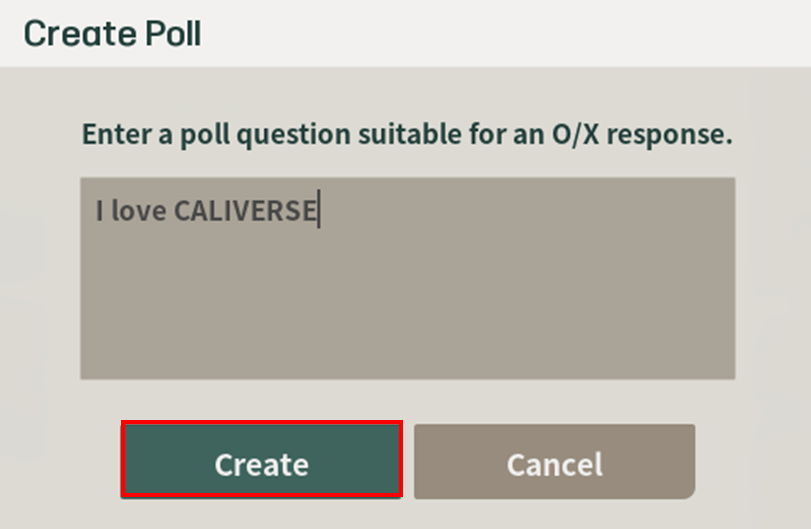
4-2. Write the voting question in 50 characters or less, which can be answered with "O/X."

<figure><img src="https://content.gitbook.com/content/Oh8NTV27E5mzxfAtD539/blobs/JW3yUClJZegBvpJLOzUc/9.png" alt=""><figcaption></figcaption></figure>

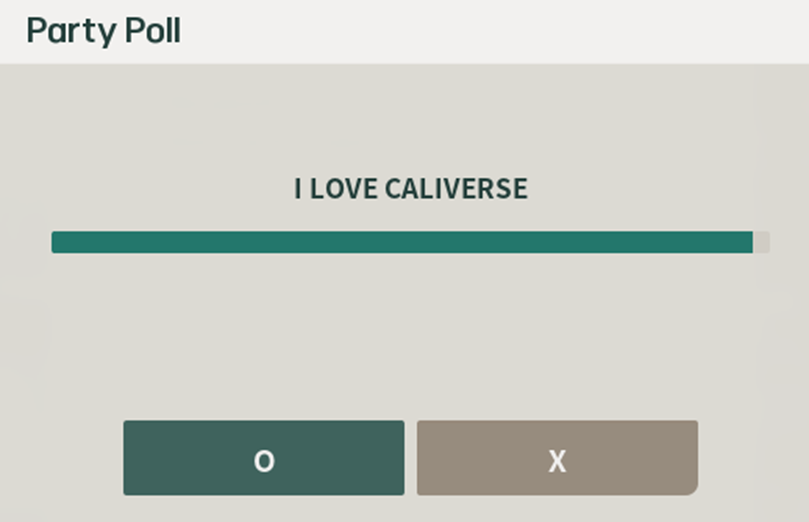
4-3. Creation complete!

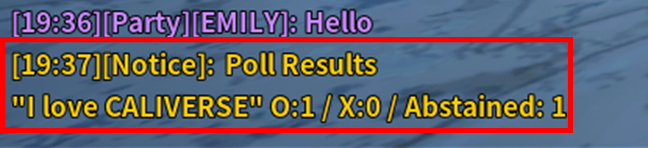
Please proceed with the vote. If you don't vote within the given time, it will be marked as "Abstained."

<figure><img src="https://content.gitbook.com/content/Oh8NTV27E5mzxfAtD539/blobs/vcqR74Zq61WokBAxHHGV/10.png" alt=""><figcaption></figcaption></figure>

TIP: You can check the voting results in the message window at the bottom left.

<figure><img src="https://content.gitbook.com/content/Oh8NTV27E5mzxfAtD539/blobs/DW0cFbAdC58Q6xUQFkYX/11.png" alt=""><figcaption></figcaption></figure>

5. **I want to check the location of party members.**

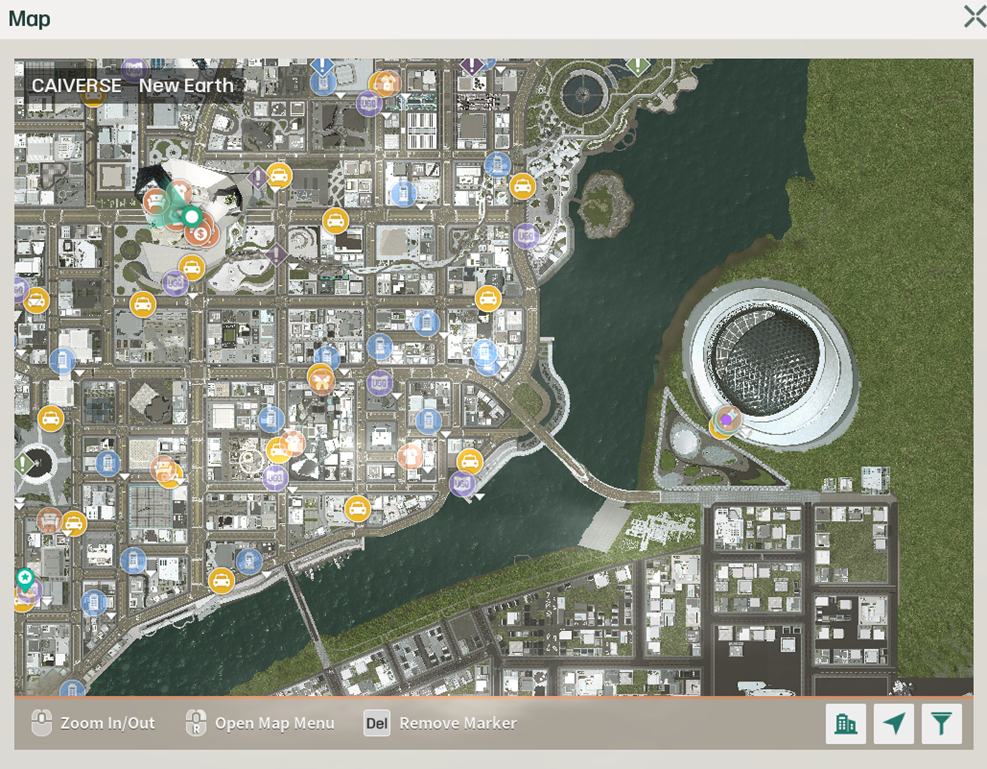
Press the \[M] key on your keyboard, then check the location of party members marked with a purple circle!

<figure><img src="https://content.gitbook.com/content/Oh8NTV27E5mzxfAtD539/blobs/fXO7WEr4jgmdCTObX5RM/12.png" alt=""><figcaption></figcaption></figure>

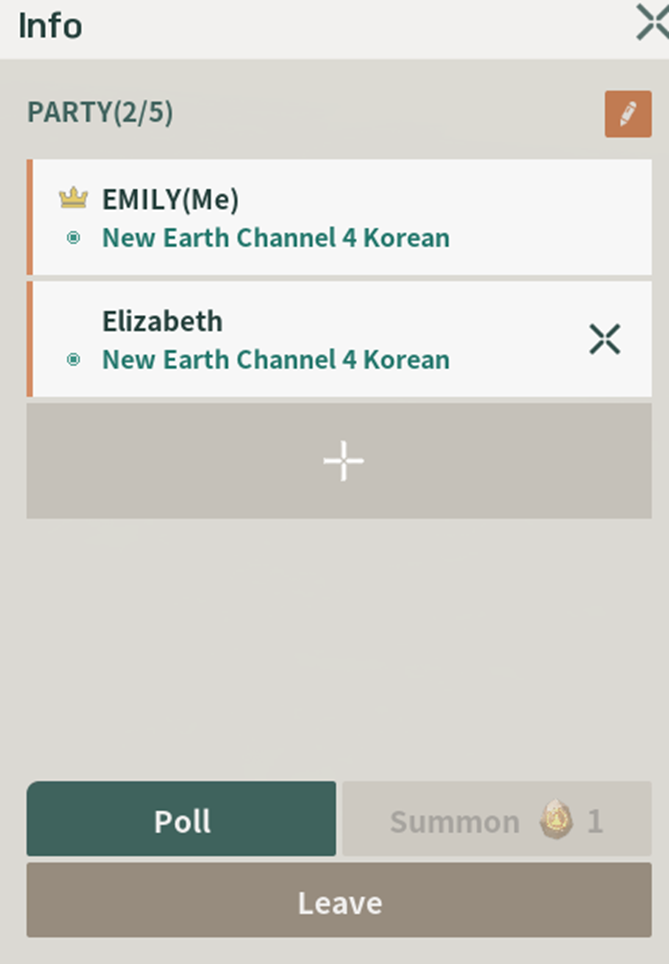
6. **I want to change the party name.**

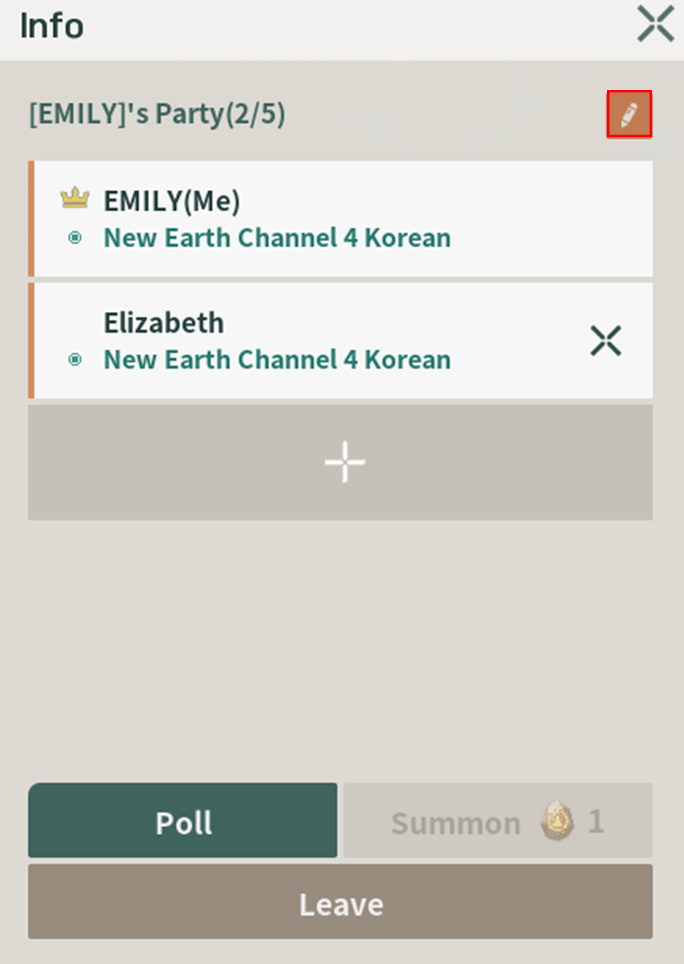
6-1. Press the \[P] key on your keyboard, then click the pencil icon.

<figure><img src="https://content.gitbook.com/content/Oh8NTV27E5mzxfAtD539/blobs/PsDQFaYOsXmUYj853EDc/13.png" alt=""><figcaption></figcaption></figure>

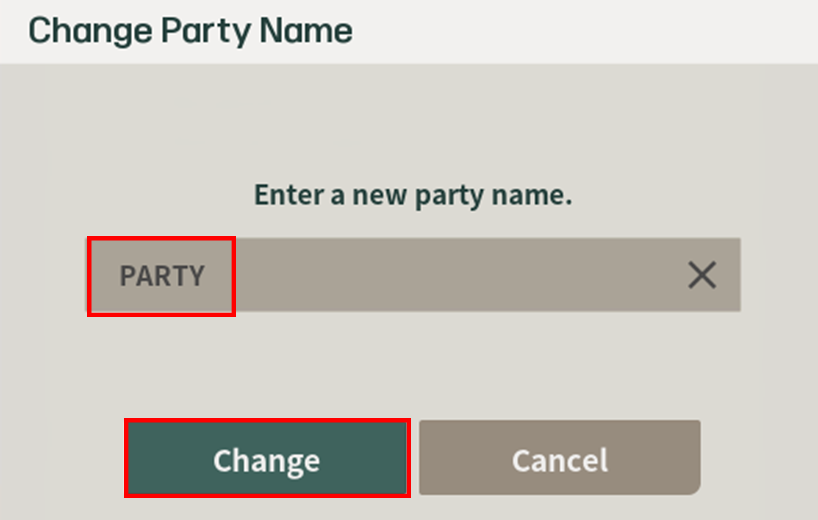
6-2. Enter the new party name and click the \[Change] button.

* The name can be up to 10 characters long.
* Numbers are not allowed.
* Spaces are not allowed.

<figure><img src="https://content.gitbook.com/content/Oh8NTV27E5mzxfAtD539/blobs/zpmNP2C4X2PjdCsxrCs2/14.png" alt=""><figcaption></figcaption></figure>

6-3. Party name change complete!

<figure><img src="https://content.gitbook.com/content/Oh8NTV27E5mzxfAtD539/blobs/rjv69BBr3f3A8bb8QF4X/15.png" alt=""><figcaption></figcaption></figure>

7. **I want to summon a party member!**

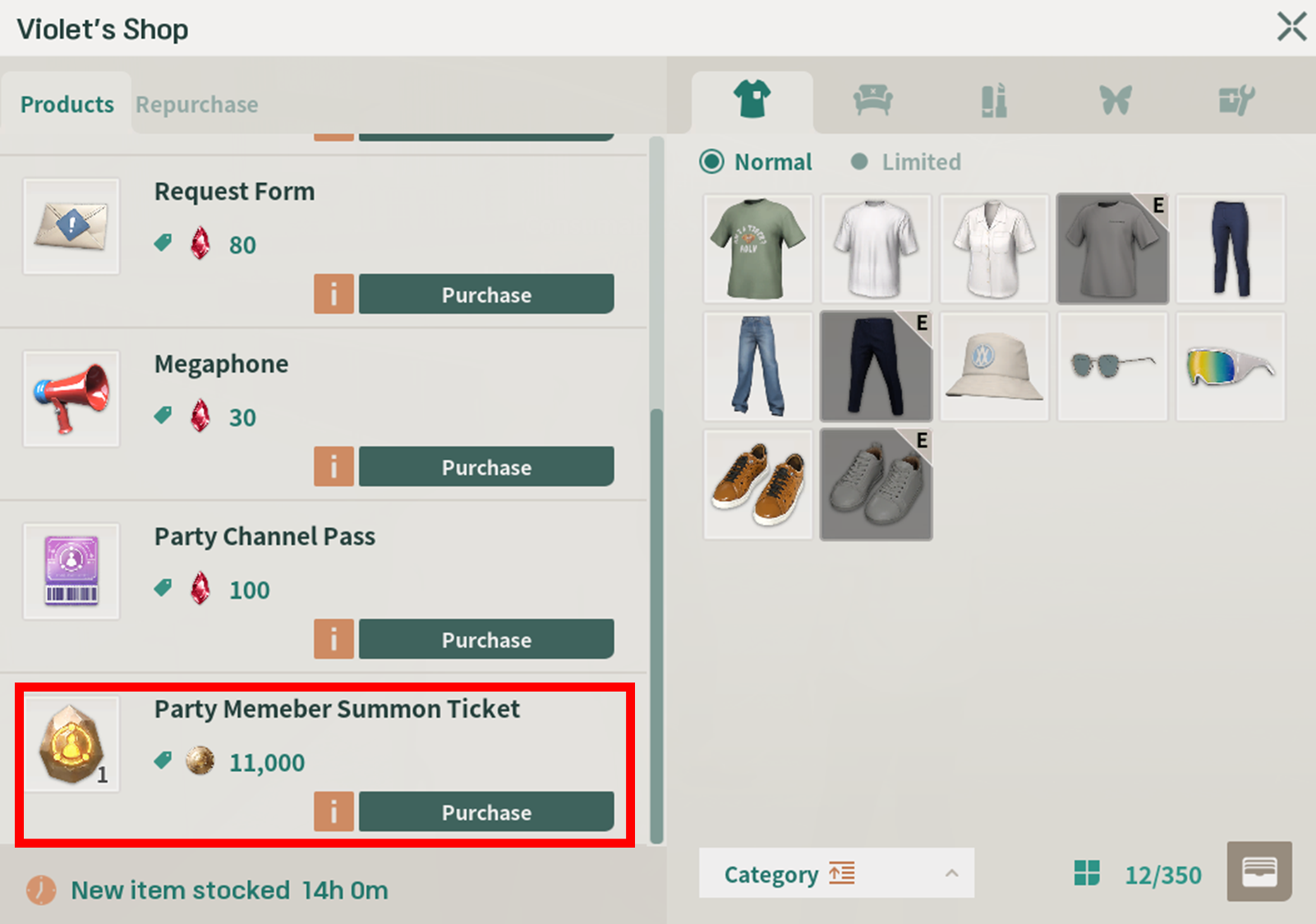
* To summon a party member, you need a "Party Member Summon Ticket" item.
* You can purchase the Party Member Summon Ticket from the consumable vendor, Violet.

<figure><img src="https://content.gitbook.com/content/Oh8NTV27E5mzxfAtD539/blobs/Av07J5e4J6GvQOKSvfti/16.png" alt=""><figcaption></figcaption></figure>

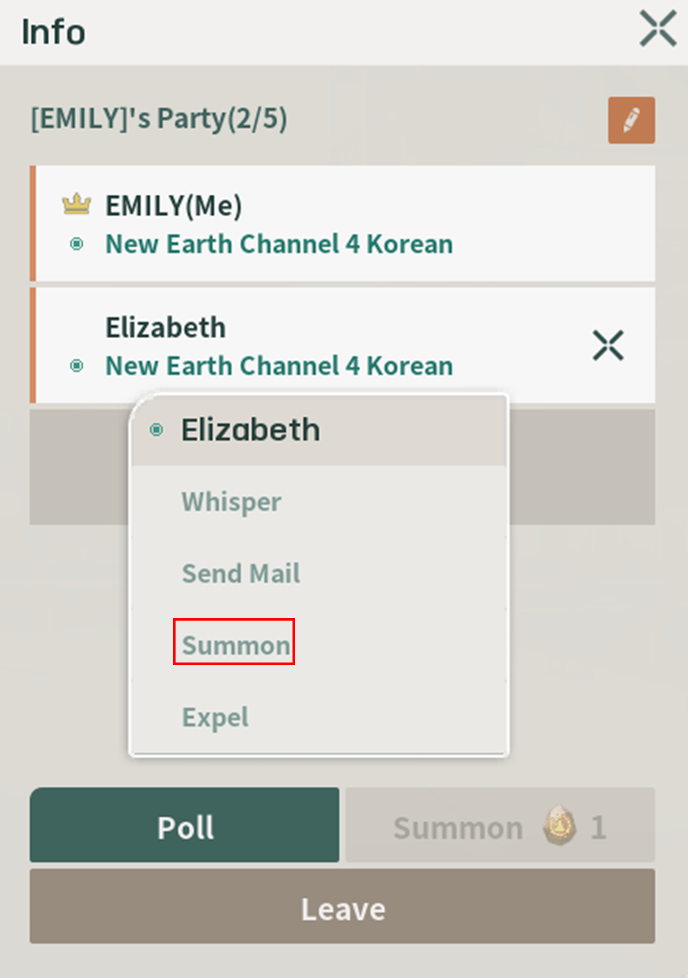
7-1. Right-click on the nickname of the party member you want to summon, then click the \[Summon] button.

<figure><img src="https://content.gitbook.com/content/Oh8NTV27E5mzxfAtD539/blobs/ev65YRwum98Q7YqBB8D9/17.png" alt=""><figcaption></figcaption></figure>

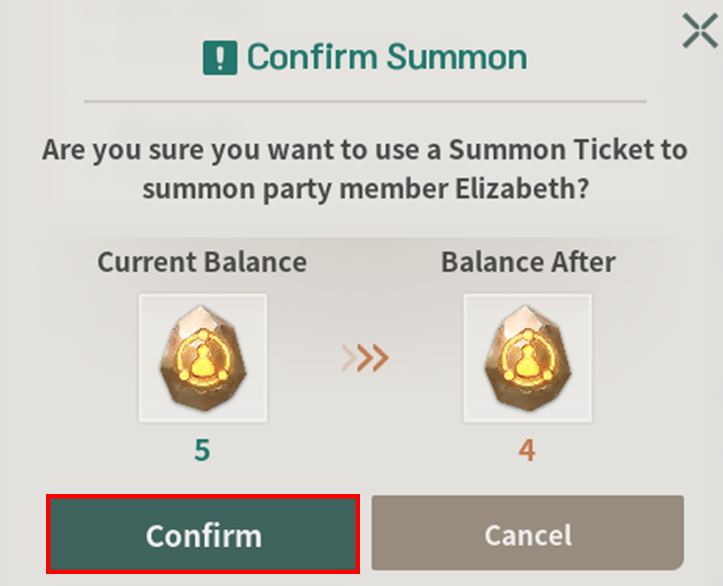
7-2. After checking the notification, click the \[Confirm] button.

The Party Member Summon Ticket is a consumable, so the quantity will decrease immediately upon use!
<figure><img src="https://content.gitbook.com/content/Oh8NTV27E5mzxfAtD539/blobs/RUc4lfLpJShIQB9pM2D5/18.png" alt=""><figcaption></figcaption></figure>