> For the complete documentation index, see [llms.txt](https://calidocu.gitbook.io/caliverse-metaverse/llms.txt). Markdown versions of documentation pages are available by appending `.md` to page URLs; this page is available as [Markdown](https://calidocu.gitbook.io/caliverse-metaverse/en/caliverse-feature-guide/whisper.md).
# Whisper
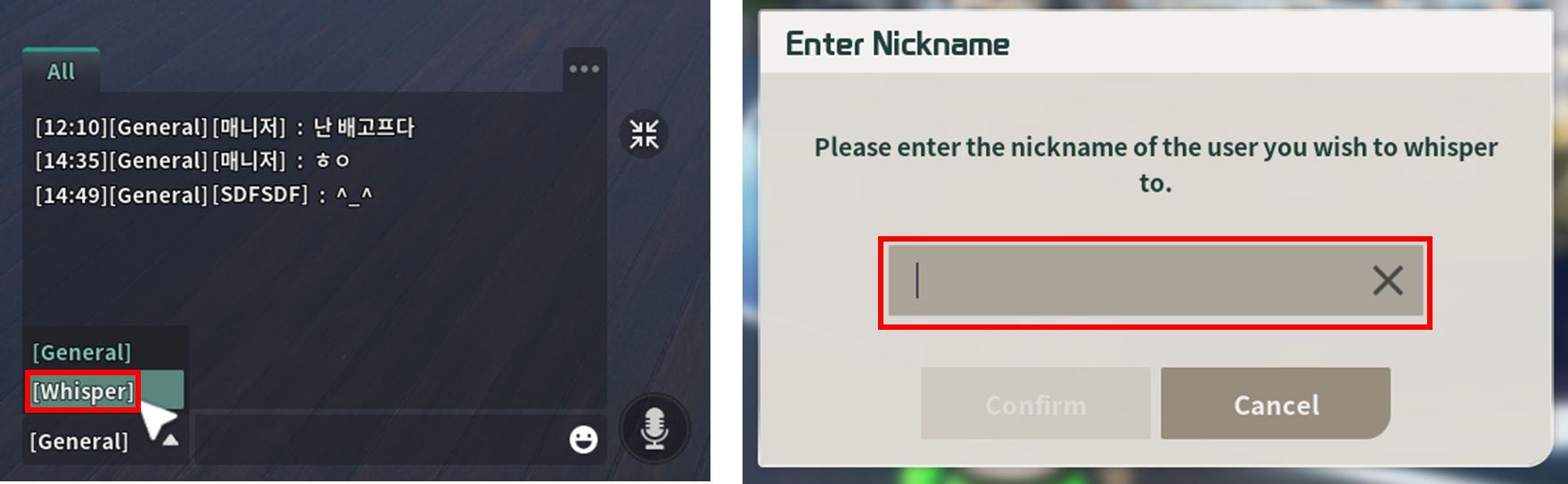
1. Press the **\[Enter]** key, and when the chat window appears, click on the **\[Whisper]** option.\
When the 'Enter Nickname' popup appears, enter the username of the user you want to whisper to.
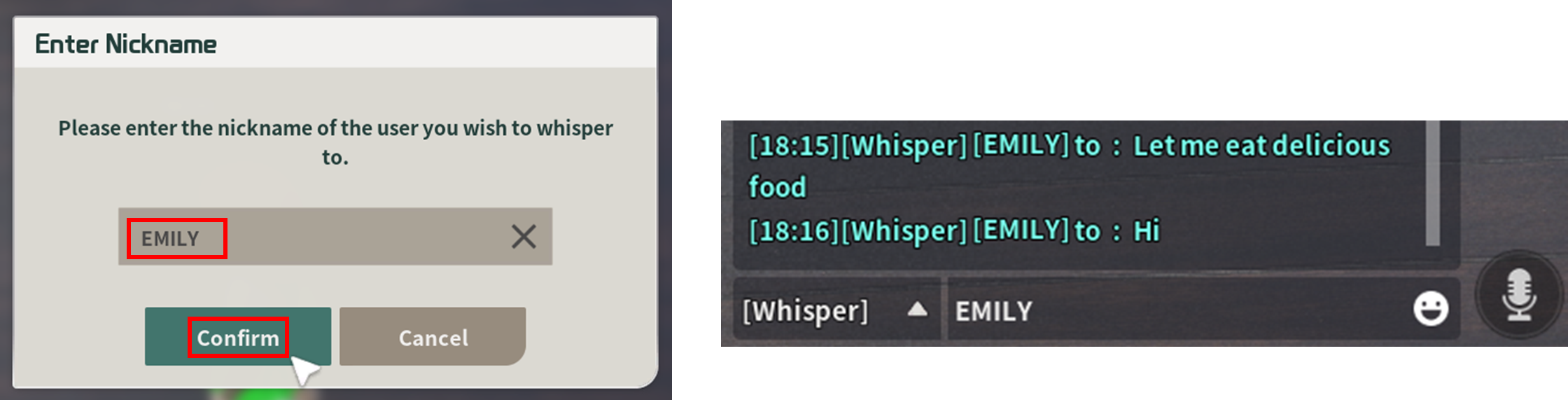
2. After entering the correct username, click **\[Confirm]** and send a whisper to that user.
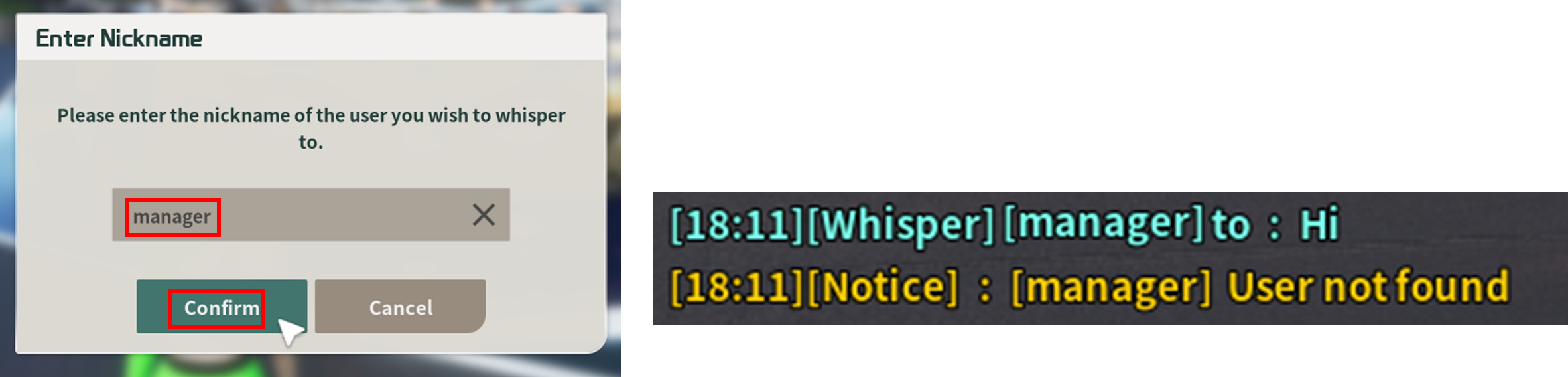
3. If you input a non-existent or unclear username, a system message will appear saying **'User not found.'**
4. If you whisper to a user who is offline, a system message will appear saying **'The user is not online'.**