> For the complete documentation index, see [llms.txt](https://calidocu.gitbook.io/caliverse-metaverse/llms.txt). Markdown versions of documentation pages are available by appending `.md` to page URLs; this page is available as [Markdown](https://calidocu.gitbook.io/caliverse-metaverse/en/avatar-and-beacon/selling-items.md).

# Selling Items

1. Visit Shop NPCs, then click the **\[Shop]** button.

<figure><img src="https://2020202902-files.gitbook.io/~/files/v0/b/gitbook-x-prod.appspot.com/o/spaces%2FDvNN0pfqiNtlyUEC0BTw%2Fuploads%2FQGd570q7bWoadtFG8ZLA%2Fimage.png?alt=media&amp;token=5c78d50e-f28e-4958-86fd-f657ca7321d4" alt="" width="431"><figcaption></figcaption></figure>

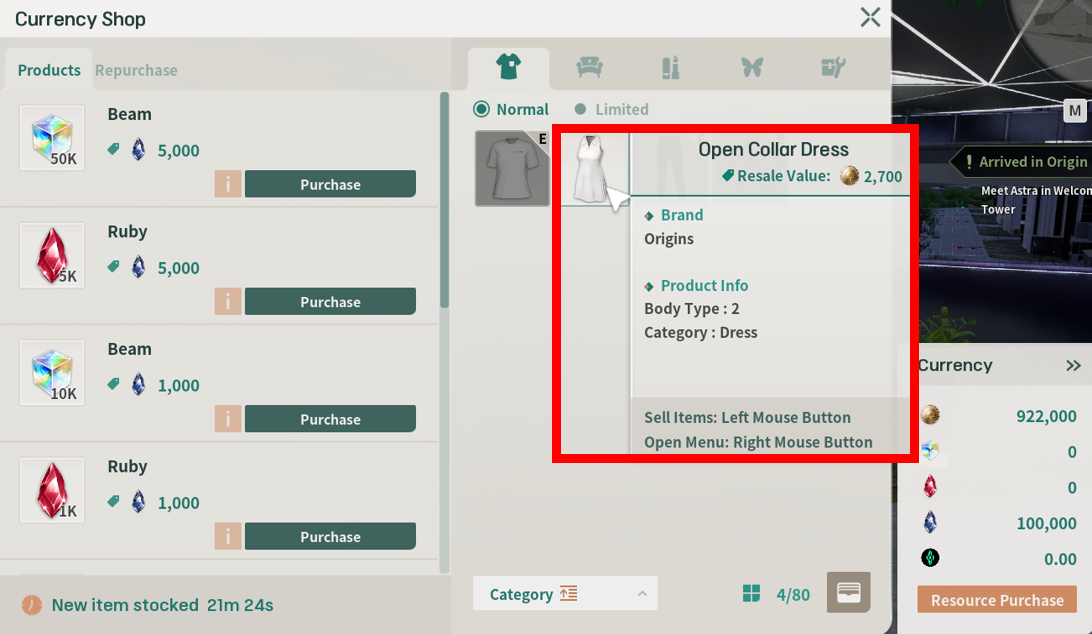
2. Select the item you want to sell and click the left mouse button.

<figure><img src="https://content.gitbook.com/content/DvNN0pfqiNtlyUEC0BTw/blobs/yVCq3EMteoDNXc9dDcAg/3.png" alt=""><figcaption></figcaption></figure>

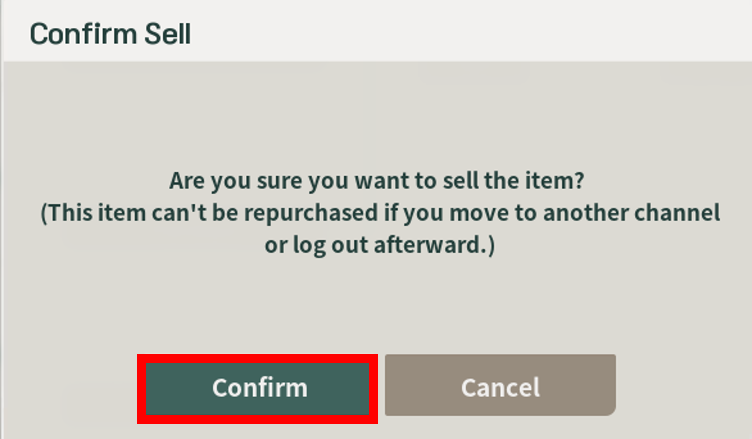
3. Review the warnings in the **'Confirm Sell'** window, then click the **\[Confirm]** button.

<figure><img src="https://content.gitbook.com/content/DvNN0pfqiNtlyUEC0BTw/blobs/IESNcoEl7JAMNoN52dYA/4.png" alt="" width="563"><figcaption></figcaption></figure>

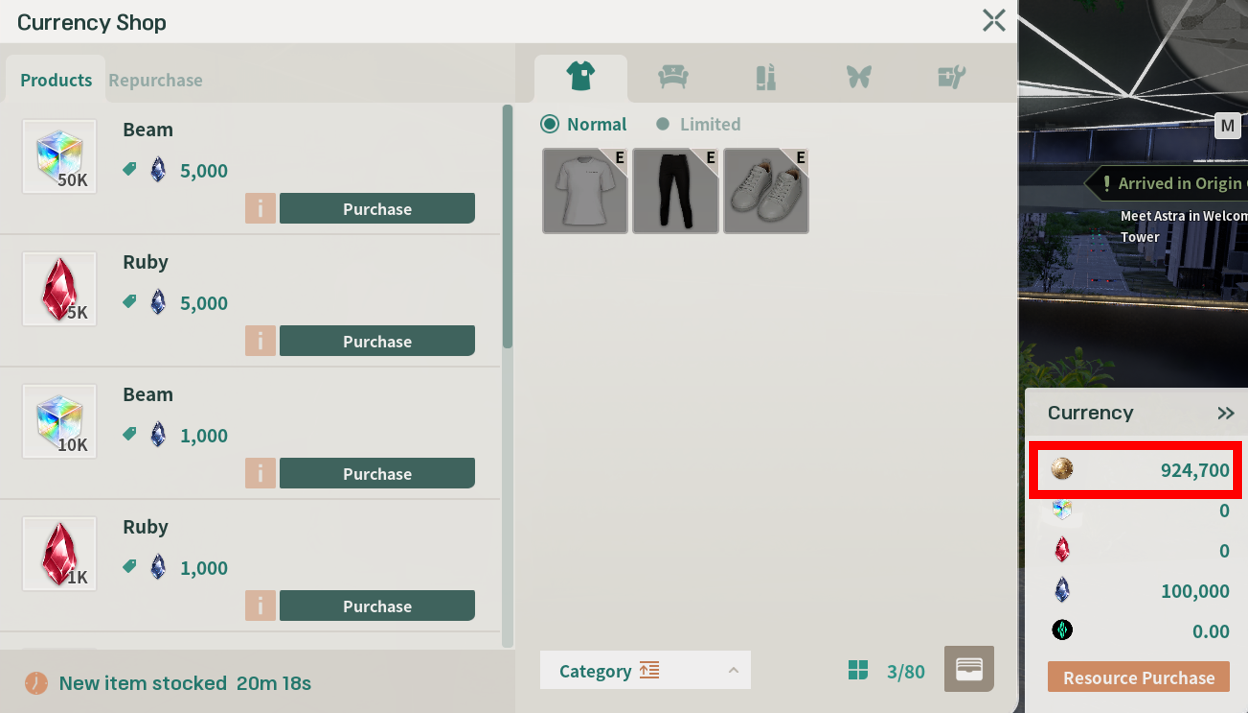
4. Congratulations! Your item sale is complete!

<figure><img src="https://content.gitbook.com/content/DvNN0pfqiNtlyUEC0BTw/blobs/6mNlANfBWLdw9BEUlOti/5.png" alt=""><figcaption></figcaption></figure>