> For the complete documentation index, see [llms.txt](https://calidocu.gitbook.io/caliverse-metaverse/llms.txt). Markdown versions of documentation pages are available by appending `.md` to page URLs; this page is available as [Markdown](https://calidocu.gitbook.io/caliverse-metaverse/en/avatar-and-beacon/purchasing-items.md).

# Purchasing Items

1. Enter the store.

<figure><img src="https://content.gitbook.com/content/DvNN0pfqiNtlyUEC0BTw/blobs/h8tqalw82ud93XIuBIQX/1.png" alt=""><figcaption></figcaption></figure>

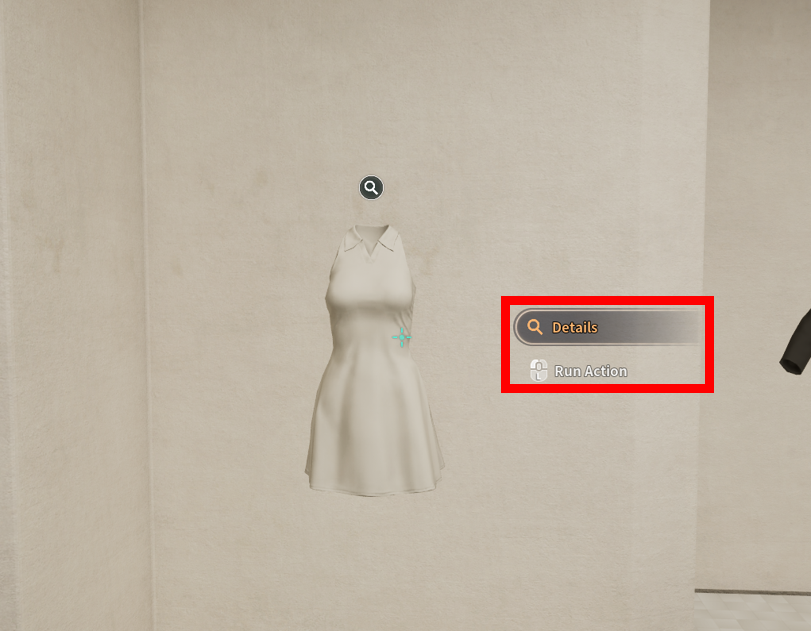
2. Select the item you wish to purchase and click the **\[Details]** button.

<figure><img src="https://content.gitbook.com/content/DvNN0pfqiNtlyUEC0BTw/blobs/MehPtePVw8KBW8sD8dpp/2.png" alt=""><figcaption></figcaption></figure>

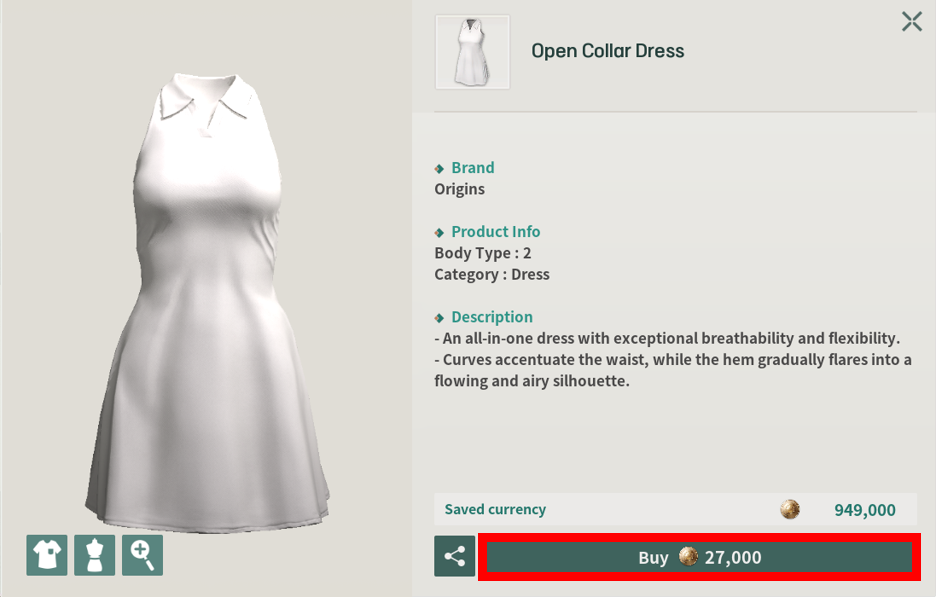
3. Review the item description, then click the **\[Buy]** button.

<figure><img src="https://content.gitbook.com/content/DvNN0pfqiNtlyUEC0BTw/blobs/zeSRTsKA0PHNKa3cN5YC/3.png" alt=""><figcaption></figcaption></figure>

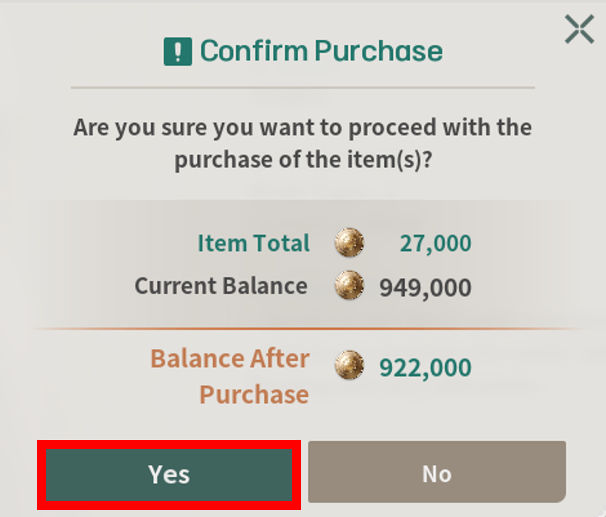
4. In the **'Confirm Purchase'** window, check the payment amount, and click **\[Yes]**.

<figure><img src="https://content.gitbook.com/content/DvNN0pfqiNtlyUEC0BTw/blobs/5yU35CvUeD9S7fJKaYCy/4.png" alt=""><figcaption></figcaption></figure>

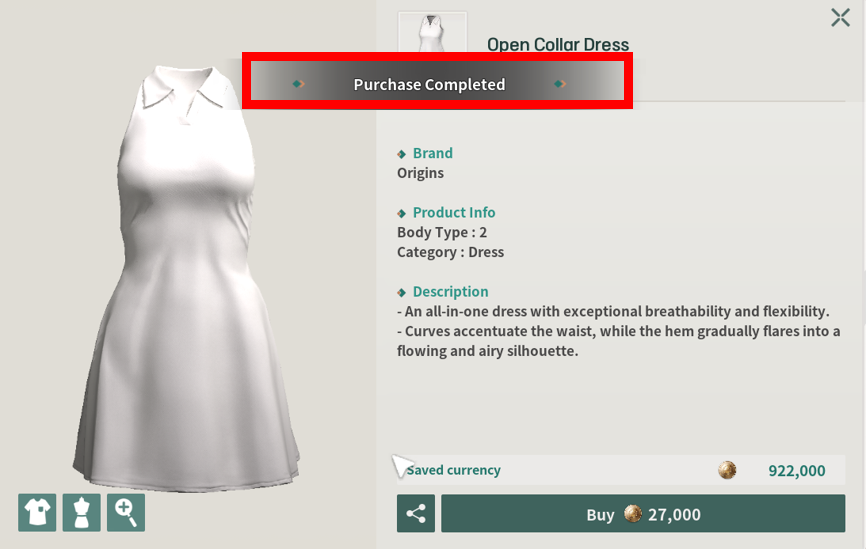
5. Congratulations! Your purchase is complete!

<figure><img src="https://content.gitbook.com/content/DvNN0pfqiNtlyUEC0BTw/blobs/7v8J72ULyR1cdaAjgNFo/5.png" alt=""><figcaption></figcaption></figure>